
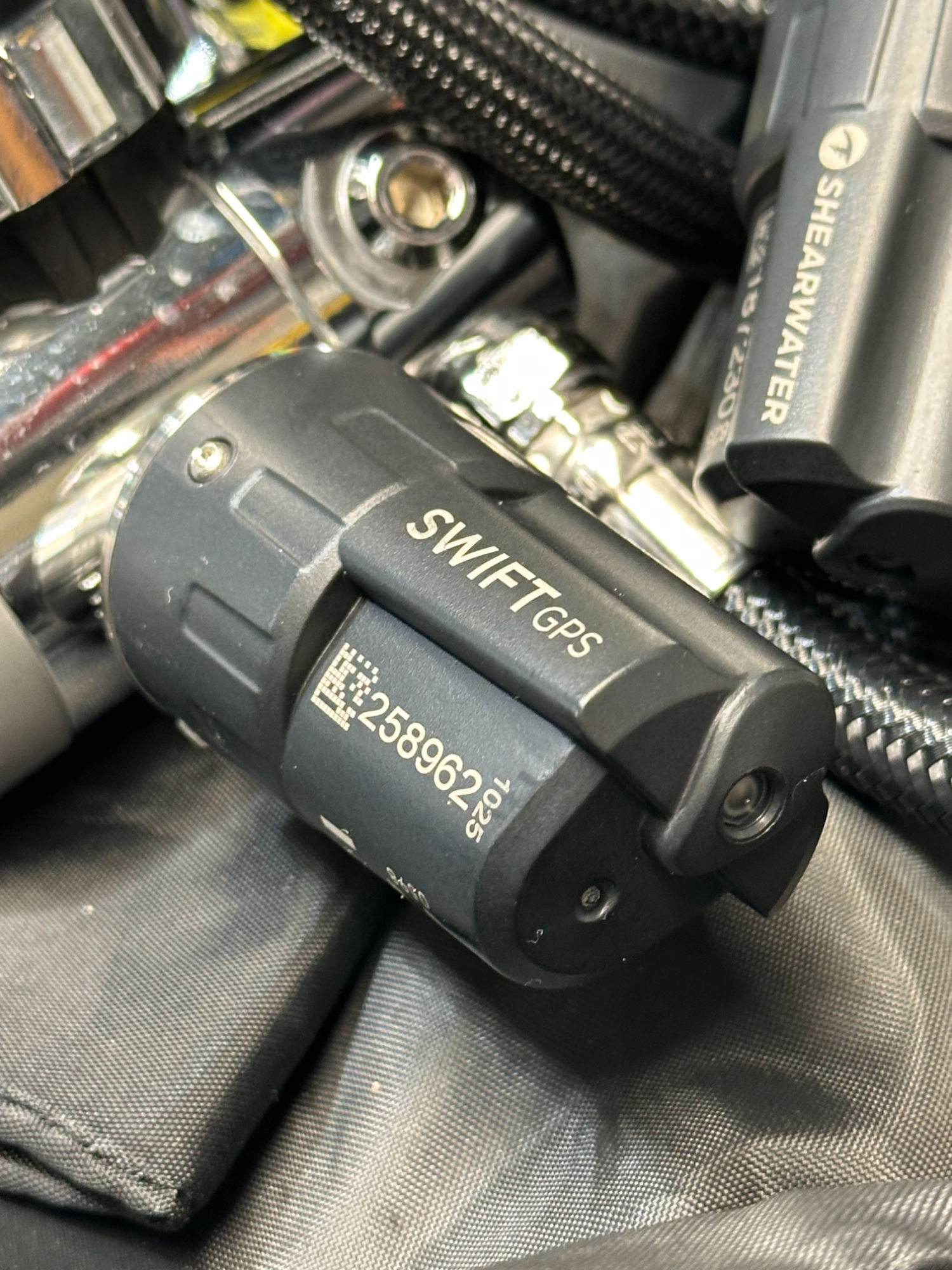
Shearwater Swift GPS Transmitter Review
If I’m not the very last diver to get on board with air-integrated dive computer, I sure must be close. Part of it is simply that I’m a bit pf a purist. I’ve always had kind of a fondness for bare gauges. Good old reliable brass and glass at the end of a hose has always just felt right.
Given that, I never felt the need to switch. Also, how precise does your tank pressure really need to be? With good gas planning, you’ll always have lot’s in reserve. My SAC rate is pretty great anyway.
I’ve also seen enough divers have problems connecting their air-integrated dive computer to their transmitter, I never quite trusted them.
Perhaps the biggest reason is bulk. I used to dive doubles most of the time, unless I was traveling. By feel, a transmitter feels a whole lot like a valve knob. Depending on the regulator first stage (especially the Apeks Tek3), the high pressure ports may not leave room for your other hoses.
Shearwater Research at DEMA 2025
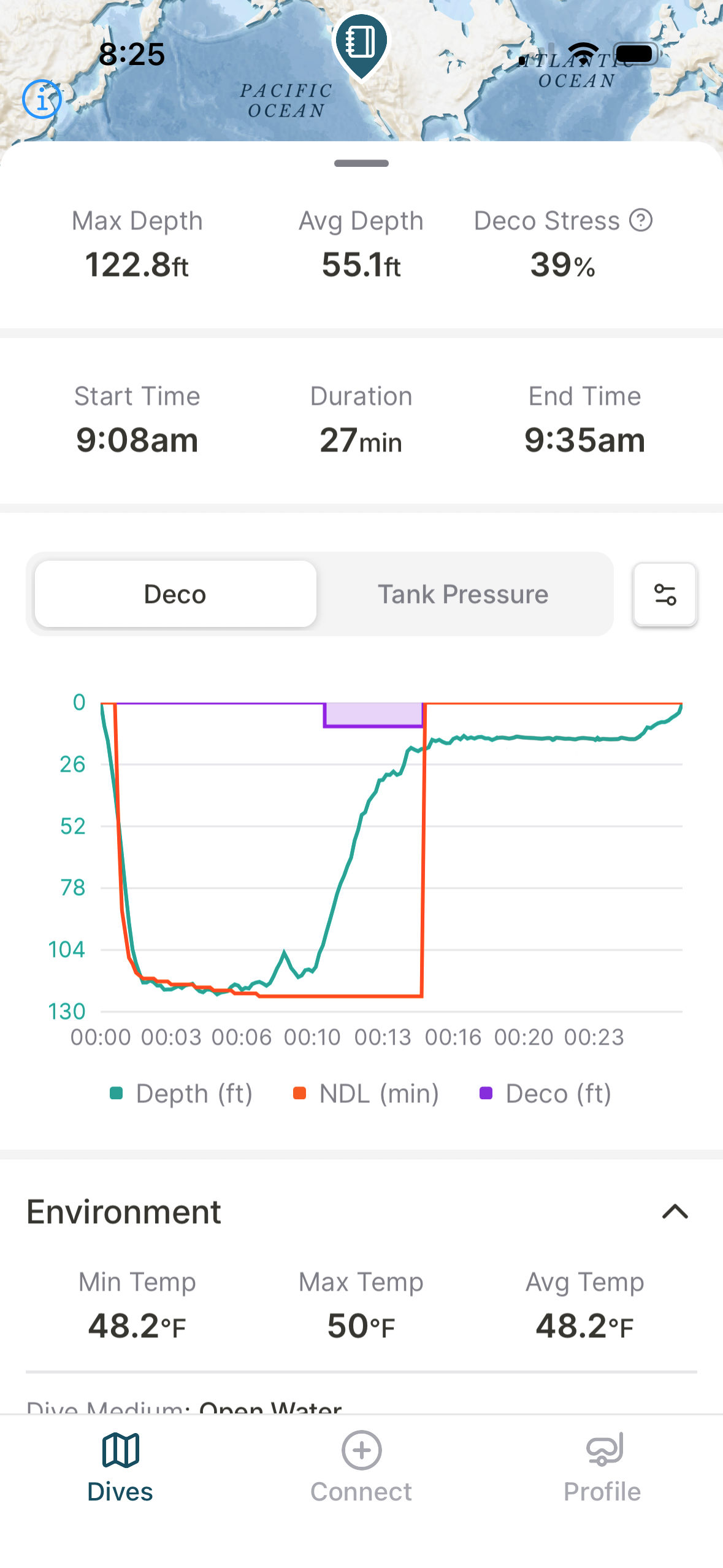
Over the last year or two, I’ve grown increasingly interested moving to air integration. One reason is the Shearwater Swift transmitter is quite compact compared to others on the market.
More importantly, brass and glass dial pressure gauges really aren’t reliable at all. On practically every dive, I find myself twisting the gauge at the end of the high pressure hose to get bubbling to stop. Usually it does.
Sometimes not. Good hoses make a difference. Miflex hoses seem to be the best. The discount hoses that come from a certain popular e-commerce “tech” diving specialty company suck.
What put me over the top was at DEMA, Shearwater introduced the Swift GPS Transmitter. I had largely decided to buy two Swift transmitters along with a Shearwater Petrel 3 EXT prior to the show. I held out until DEMA because, if there was going to be a Petrel 4 or something else with a Fischer connector for my rebreather, that’s when it would be introduced.
Shearwater didn’t introduce a new computer, but they did come out with the Swift GPS Transmitter—cool!
My Shearwater Petrel 3 ETX, plus Swift GPS Transmitters
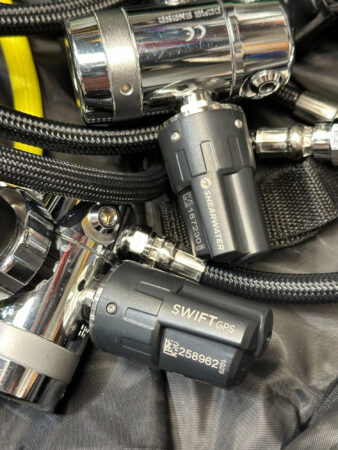
Yup, I bought transmitters, plural. Two of them to be exact. Both with GPS. My thinking was for the relatively small difference in price, I might as well get both with it. There was never any question about buying two transmitters, because of all the sidemount diving I do.
My Petrel 3 and both transmitters took less than a week to arrive. Needless to say, I couldn’t wait to get them out on a dive. That would come a few days later.
The first trick was getting my computer configured for the dive. This would be a teaching dive where I was one of the instructors for a trimix course. The gasses for the dive would be Air, EANx40 and EANx80. The depth was 120’ or 130’—I don’t remember for sure, but not very deep.
It was a perfect test dive.
Configuring the Shearwater AI Dive Computer
To get everything set up, I grabbed both sidemount regulators (Apeks XTX50s in case you care), plus two of my 13 cu. ft. diluent bottles for my rebreather that were (still are) filled with air. I took all that, plus my new Petrel 3 EXT, both Swift GPS transmitters and a wrench to my couch and went to work.
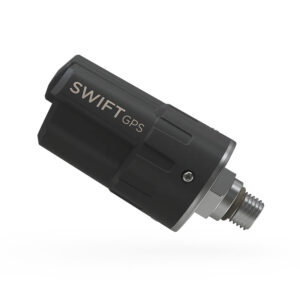
The Swift GPS Transmitters can be tightened by hand, so I only needed the wrench to get the old hoses off.
The first thing you do is pair your transmitters to your dive computer. With Shearwater, you simply go to the AI configuration screen and enter the serial numbers for your transmitters. I did them one at a time, testing and verifying the first before moving on to the next one.
It’s pretty cool the way they work. They turn on automatically when you open the tank valve. There’s a green LED indicator light on the transmitter itself.
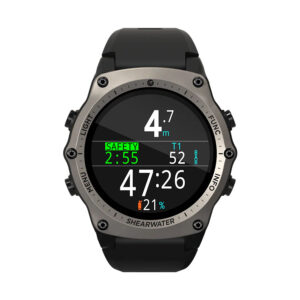
For sidemount, you need to display the pressure of two cylinders (assuming you don’t have transmitters on your deco bottles). Shearwater allows you to configure your center row of the display to show three parameters. This includes pressures for whichever transmitters you have configured with serial numbers. I put my left cylinder pressure on the left, right cylinder on the right and used the center for GTR (gas time remaining).
GTR was new to me. If I’m being honest, I don’t carte about it. For technical dives, time is covered extensively in the gas plan, and for recreational diving, I am very good estimating it anyway. Nevertheless, I wanted to see how it works—especially using Shearwater’s “sidemount mode.”
Diving with the Shearwater Swift GPS Transmitter
For me, the GPS part was just one more cool thing to experience (and log) along with all the other features during my first dive ever using air integration. Given that it would be a multi-gas, technical dive on sidemount, I was pretty stoked to get in the water and see how my new gear would actually work.
Previously, I had my analog gauges configured to point straight up like lollypops using the top-most port on my first stages. My original thought was to tuck the Swift transmitters into bottom port, since it wouldn’t matter if the got buried in my armpits.
After thinking about it, I configured the Swift GPS Transmitters the same way. That got them out of the way of any bolt snaps, d-rings and bungees. I’m sure some other sidemount diver will skewer me for it, suggesting that my configuration isn’t “clean.” Whatever. I’ll argue that a different day.
While gearing up in shallow water, I noticed my right transmitter would intermittently lose connection. Since I wear my AI computer on my left wrist, I assume it is a proximity issue. Looking back, the transmitter was probably submerged at the time, while the computer was not. Transmission from air to water meet to be a challenge in all applications, so there’s that.
Underwater, there was never any kind of dropout or lost connection at all.
My first thought diving with air integration was it’s a good feeling knowing my HP hoses wouldn’t randomly start to bubble. Seeing your exact tank pressure displayed along with other dive data is really handy. I don’t personally feel any more or less secure, or run my dive any differently using air integration. That said, I like seeing tank pressures on my wrist.
After the Dive: Sac Rate, Gas Consumption, GPS
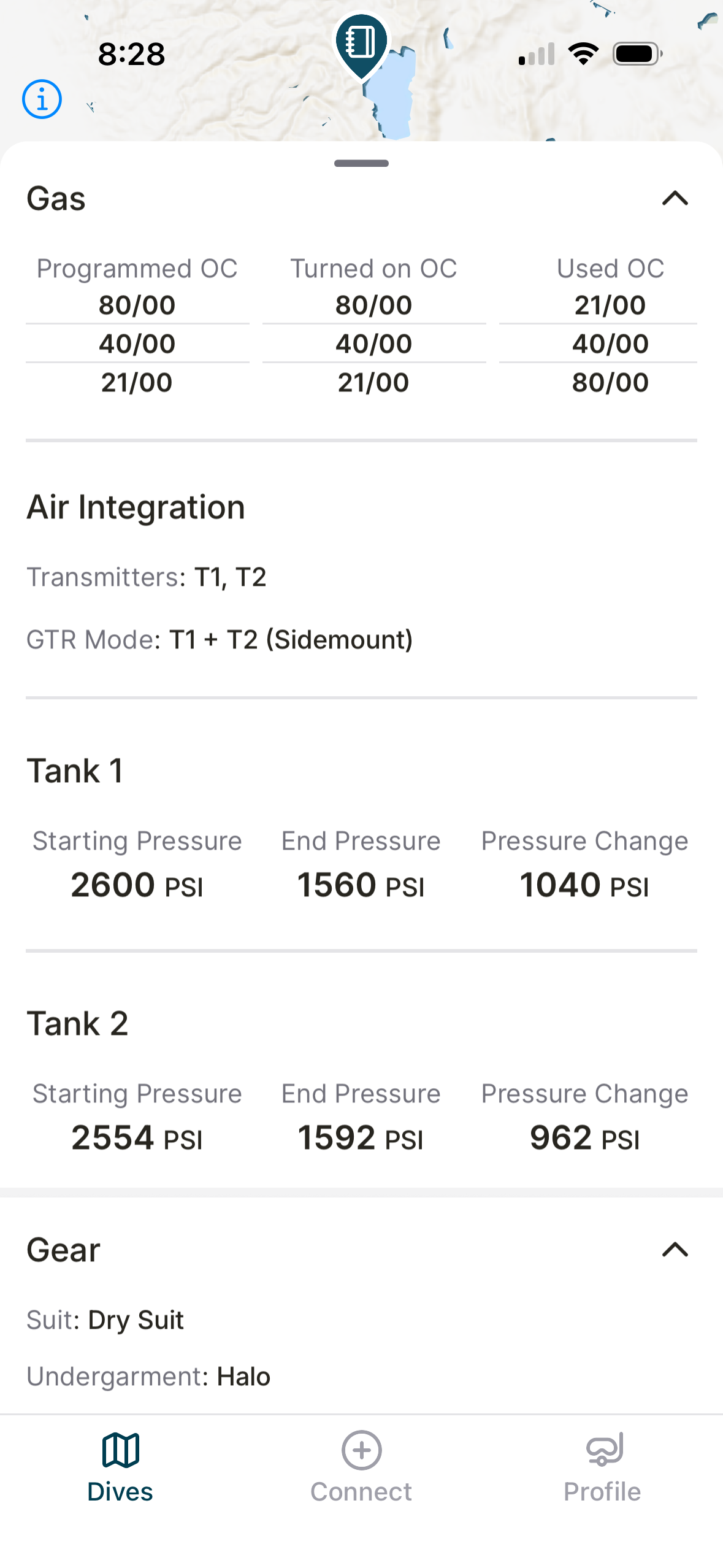
After my first dive, I couldn’t wait to load the data into the Shearwater app and/or my computer. Talk about a let down! This was about two weeks prior to the release of the new, “Dive Shearwater” app. That meant the GPS data wouldn’t show up at all. So I wanted what seemed like an eternity and downloaded the Dive Shearwater app the same day it was finally released.
The next let down was that my Petrel 3 had recorded my entry location, but not the exit. Without both, it seems, neither will show up in your dive log.
In the mean time, I had done another dive using the same configuration. I confirmed that I had a GPS fix prior to the descent and again afterward. Neither the entry, nor the exist location were recorded in my Petrel. After that dive, we had weeks of wind and snow, so it wasn’t until last weekend that I would dive again.
Recreational Dive with the Shearwater Swift GPS
After my more than disappointing experience with the GPS component of my new, air-integrated dive computer, my next dive would be purely recreational. This would be a scooter dive in 43 degree water. I don’t know that either of those things are relevant, but that was the dive nonetheless.
To backtrack a little bit, I suspected having two Swift GPS transmitters in operation may have confused my computer. I hope not because having two divers in range of each other using the Swift GPS could be a problem. In any case, I bought a third Swift Transmitter, this one being the non-GPS, original version of the Swift.
I moved my “right” GPS transmitter to my single tank regulator and reprogrammed it as Transmitter #3 on the Petrel. Then, for sidemount, I programmed the new, non-GPS transmitter to Transmitter #2.
With everything verified and functional, I reconfigured my Petrel 3 for my upcoming recreational dive. I still run it in “technical” mode, but not sidemount. And, of course, I needed to change the display to show #3 instead of #1 and #2. I can see this will be a hassle if I do a lot of different types of dives. Even more so when I start doing rebreather dives with them…
So, for the single tank, scooter dive, I had one Swift GPS transmitter on my only regulator first stage. Prior to descent, I verified that the “GPS” icon was lit up on the computer. It was, so down we all went.
What About Location (GPS) Data from the Swift Transmitter?
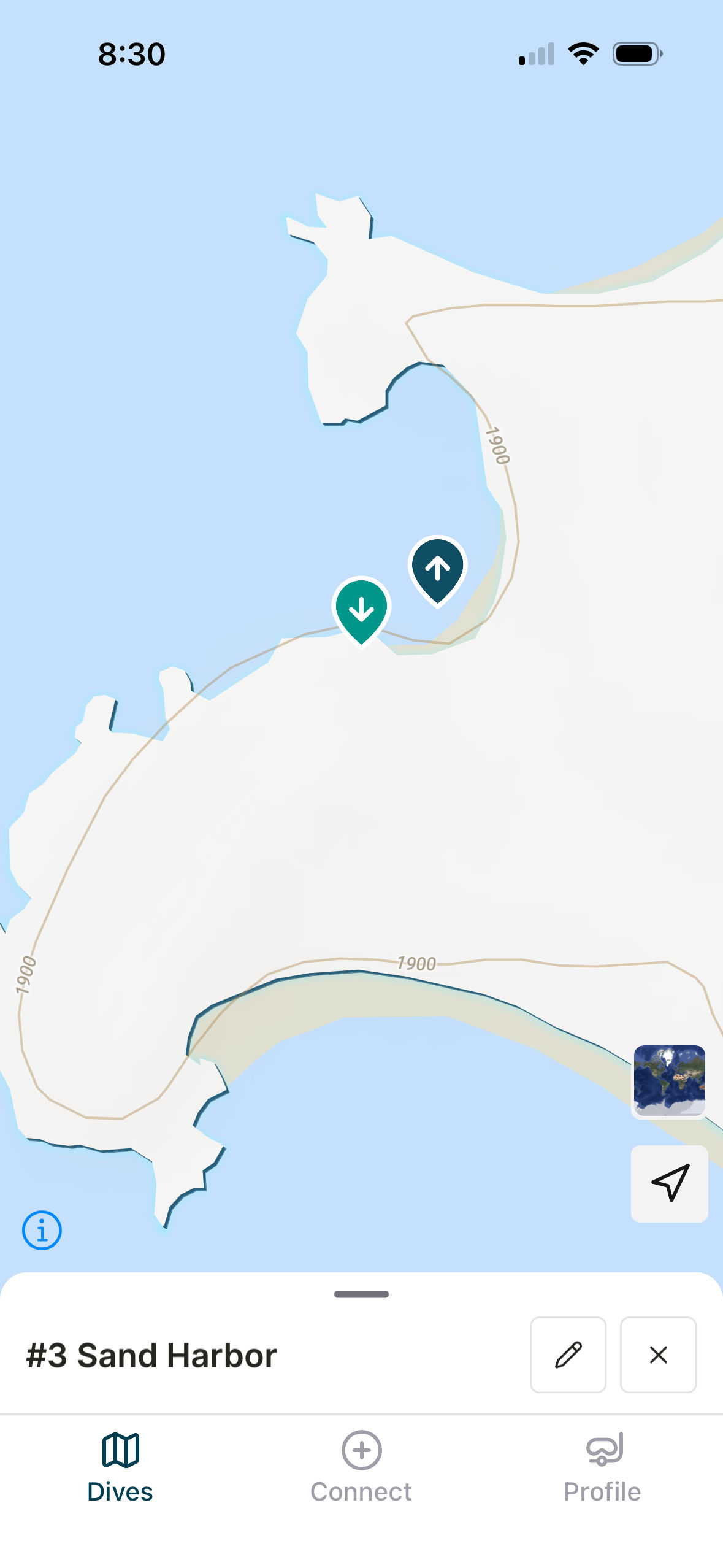
The dive was cold, but super fun, and I was on pins and needles hoping the entry/exit were properly recorded. The result…
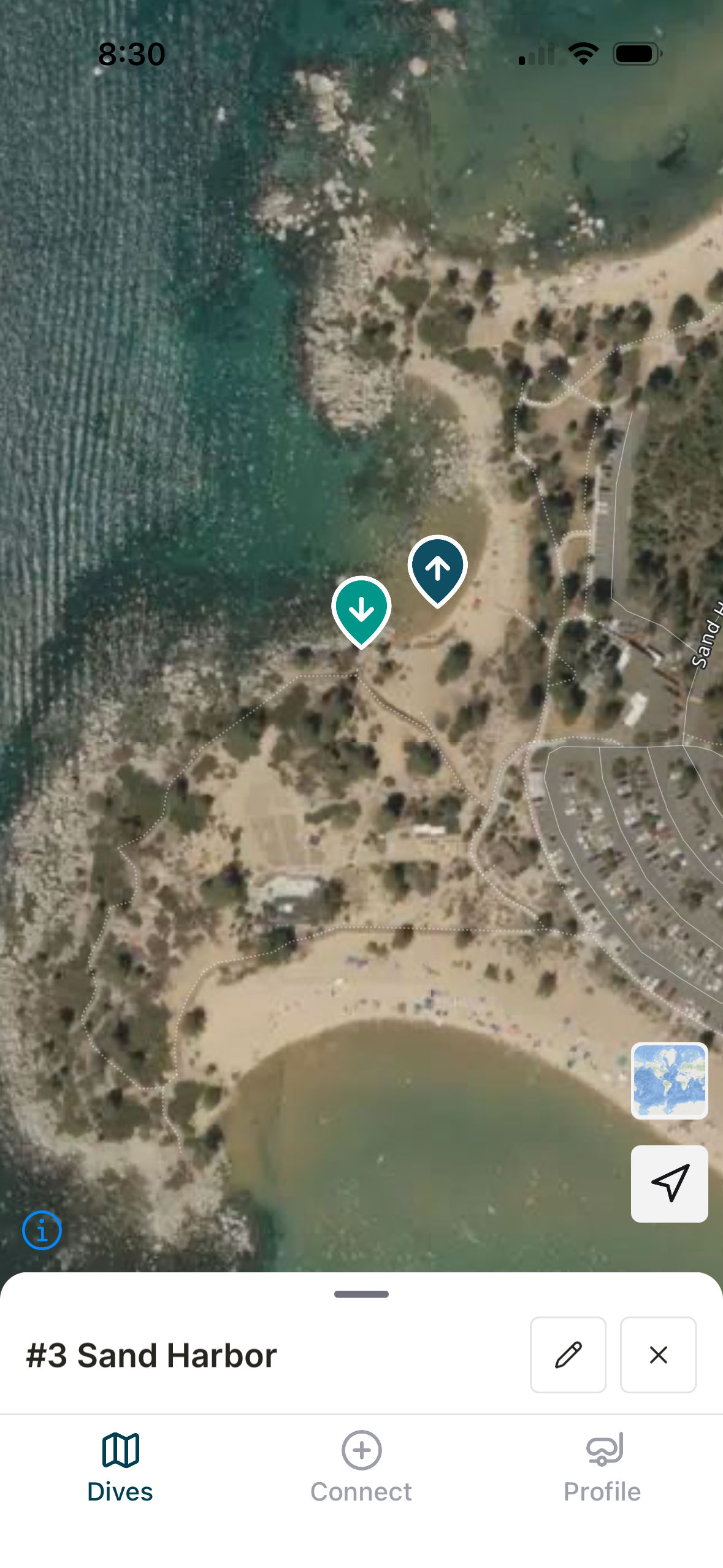
The good news is my computer had entry AND exit coordinates saved to the log entry. The bad news is, while the entry point was correct, my exit was recorded at a spot I hadn’t even been to—someplace elsewhere in the parking lot.
The actual exit was from the exact same spot that we went in. I get that GPS errors happen, but so far, out of 3 dives, I have one dive site recorded, one with nothing recorded at all, and one with partial information.
I’m diving again on Sunday, so I’ll add to this after that. In the mean time, let me give a few impressions of the Dive Shearwater” app.
“Dive Shearwater” App Review
For starters, users are blasting the Dive Shearwater app in the App Store reviews. I think it’s averaging around 1 and a half stars—not awesome so far. I’ll be slightly more charitable. I have had no issues connecting my Petrel 3 to the Dive Shearwater app. Once connected, dive data downloads quickly and, so far, I haven’t lost any data that I know of.
That said, there are some things I don’t like about the original Shearwater app that continue to annoy me with “Dive Shearwater.” The biggest, for me, is incredibly limited filtering options. I have data from several different dive computers. To complicate things even more, I use my Shearwater dive computers for several types of dives:
- Technical Dives Using Doubles
- Technical & Recreational Dives Using Sidemount
- Single Tank Recreational Dives
- Closed Circuit Rebreather Dives
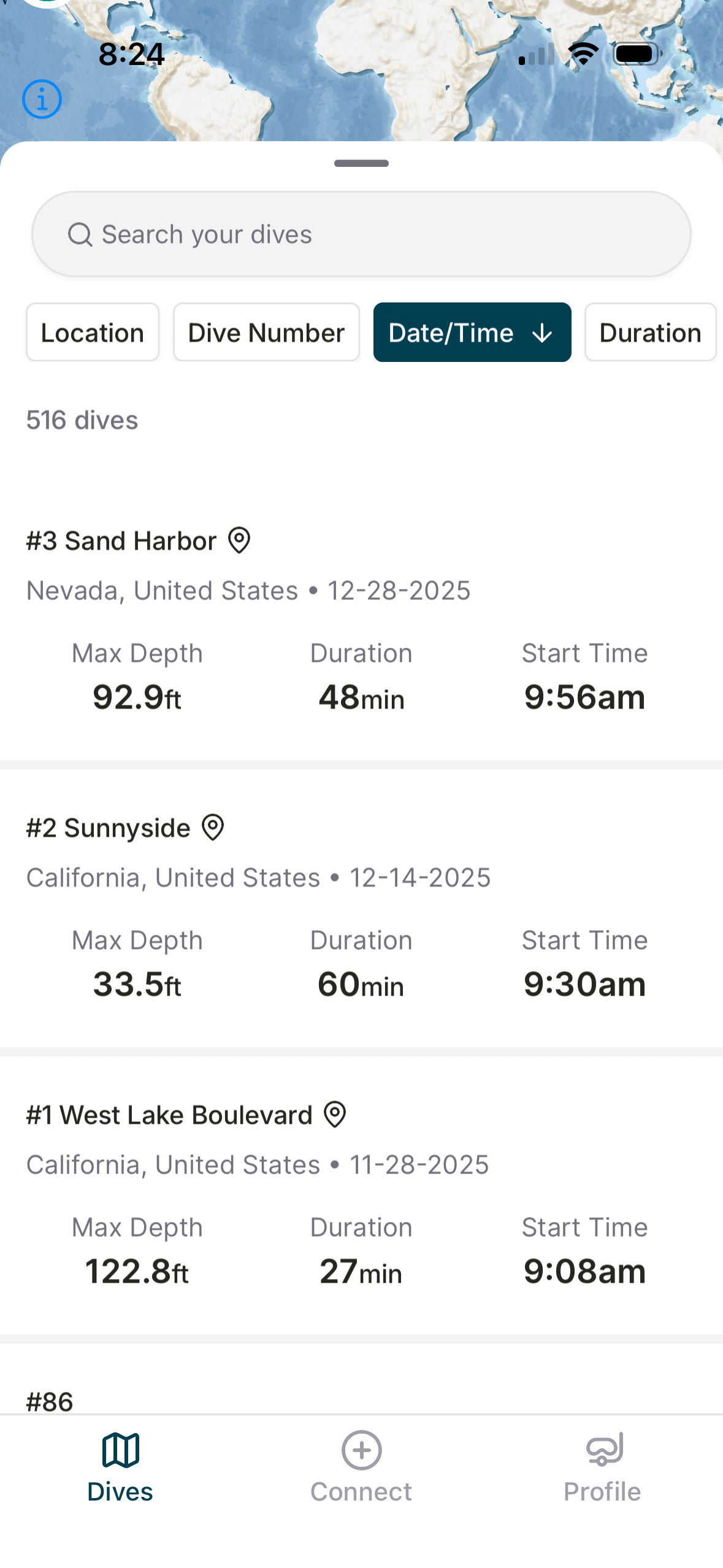
Almost all of these are with two Shearwater dive computers, so there’s a backup. All technical and rebreather dives require a backup dive computer (I guess you can use a table for back up, but that’s a different conversation.).
With the backup, that means every dive has two entries in the dive log. Currently, there’s no convenient way to filter out the backups computer. Also, you can’t filter based on more than one parameter. You can’t filter by bottom gas, or deco gasses used.
A major complaint I have with the new, “Dive Shearwater” app is if you drop a pin on a dive site that’s close to a street address or known landmark, the app won’t let me name the dive site. It’ll simply revert to 123 Sycamore Street. My guess is this has to do with how their mapping data works, but it is obnoxious when you really, really need to display a dive site by name.
One comment I’ve heard a lot is, for a company that clearly understands the needs of divers—based on the incredible capabilities and user interface of its dive computers—how is it that the Dive Shearwater app is so buggy and limited?
In any case, it basically works. It’s just not awesome. At all.
Staying on Topic: My Shearwater Swift GPS Review
First, what’s good the Shearwater Swift GPS Transmitter:
- Shearwater makes the best dive computers I’ve personally ever had experience with. Same for the Swift transmitter. Shearwater is to my knowledge the only dive computer manufacturer that currently produces a model with a Fischer connector. (That comment will likely get me flamed by 4-pin users.)
- Shearwater’s Swift transmitters are more compact and seemingly more reliable than others I’ve seen divers struggle with.
- GPS tracking is very cool, and pinpointing entry and exit points can be hugely valuable when planning dives or sharing dives.
- Together with Shearwater’s compatible computers, the Swift GPS Transmitter works well with all kinds of diving configurations.
What’s not so good the Shearwater Swift GPS Transmitter:
- So far, the GPS function has been very unreliable for me. Out of 3 entries and 3 exits, I only have location data for half of them, and only two are accurate.
- Woefully limited filtering options for the Dive Shearwater app extends to the GPS dive site information. You can’t filter based on that either.
- I know some of these points are not about the Swift GPS Transmitter itself, but Shearwater AI dive computers are a system. If the app sucks, or GPS only works for one out of three dives, that a weakness of the system.
Is the Shearwater Swift GPS transmitter worth it?
You can expect to pay about $45 more for the GPS version of the Swift transmitter. I paid it twice, and do believe it will improve over time. Hopefully that won’t be in a future model because I have 2 of them.
At the end of the day, I love the Shearwater air integrated diving experience and wholly recommend it for divers of all levels. But, this is specifically about the GPS version of the Shearwater Swift transmitter.
My feeling is, yes, the Shearwater Swift GPS is worth it. By that, I mean worth the extra $45 it costs to buy the upgrade. However, if you already have a Shearwater Swift transmitter without GPS, I’m less certain. As I mentioned, out of 6 entries and exits, I only have accurate data on 2 of them, and the dive that recorded location data to the map in the Dive Shearwater app (entry and exit), the exit location was at least 200 feet from where the exit actually was.
To sum up, if you are buying a new transmitter, buy the Shearwater Swift GPS version. If you already have a Swift transmitter without GPS, I’d wait a while and see if the app gets better and GPS performance improves.
If you have experience with the new Shearwater Swift GPS, I’d love to learn about it. Please leave a comment, or drop me a note. If you have any pictures, I’m happy to post them. – 🐠